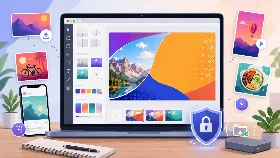
Free Online Image Tools
Free online image tools to resize, compress, crop, optimize and convert JPG, PNG and WebP images directly in your browser.
Available Image Tools
Compress Image
Reduce image size while keeping quality.
Crop Image
Crop images online with custom aspect ratios.
Discord Banner Maker
Create Discord banners with templates and editable text.
Discord Banner Resizer
Resize images for Discord banners online.
Facebook Cover Maker
Create and resize Facebook cover images online.
Facebook Cover Resizer
Resize and crop images for Facebook covers.
Instagram Post Maker
Create Instagram posts with templates and editable text.
Instagram Post Resizer
Resize images for Instagram posts online.
Instagram Story Maker
Create vertical Instagram Stories with templates and text.
Instagram Story Resizer
Resize images for Instagram Stories online.
JPG to WebP
Convert JPG images to WebP format.
LinkedIn Banner Maker
Create and resize LinkedIn banners online.
LinkedIn Banner Resizer
Resize and crop images for LinkedIn banners.
Logo Resizer
Resize logos for websites and social media.
Online Image Editor
Edit, crop, resize and optimize images online.
Optimize Image
Crop, resize, compress and convert images online.
Profile Picture Resizer
Resize profile pictures and avatars online.
Reduce Image Size
Reduce image file size online for free.
Resize Image
Resize images online for free.
Resize Image for Website
Resize and optimize images for websites.
Thumbnail Maker
Create thumbnails, covers, posts and banners for major social platforms.
TikTok Cover Maker
Create and resize TikTok cover images online.
TikTok Cover Resizer
Resize and crop images for TikTok covers.
Twitch Banner Maker
Create and resize Twitch banners online.
Twitch Banner Resizer
Resize and crop images for Twitch banners.
Twitter Header Maker
Create Twitter and X headers with templates and editable text.
Twitter Header Resizer
Resize images for Twitter and X headers online.
WebP to JPG
Convert WebP images to JPG format.
YouTube Thumbnail Maker
Create YouTube thumbnails with templates and editable text.
YouTube Thumbnail Resizer
Resize images for YouTube thumbnails online.
Free Online Image Tools
Use free online image tools to resize, compress, crop, optimize and convert images directly in your browser.
These tools support common image formats such as JPG, PNG and WebP. They help you prepare images for websites, documents, emails, social media, thumbnails, banners and profile pictures.
Choose the Right Image Tool
Use the image compressor when your file is too heavy. Use the resize image tool when you need to change the width or height in pixels. Use the crop image tool when you want to change the framing or remove unwanted parts of a picture.
Use image conversion tools when you need to change the file format, for example from JPG to WebP or from WebP to JPG. Use social media image tools when you need the right size for a platform such as YouTube, Instagram, TikTok, Facebook, LinkedIn, Discord or Twitch.
Optimize Images for Web, Mobile and Social Media
Optimized images can reduce page weight, improve loading speed and make websites easier to browse on mobile devices.
Smaller and well-sized images are also useful for online stores, blog posts, profile photos, banners, thumbnails and documents.
Resize, Compress, Crop or Convert Images
Image compression reduces file size while keeping a clear visual result. Image resizing changes dimensions. Image cropping changes the visible area. Image conversion changes the file format.
By choosing the right tool, you can avoid unnecessary quality loss and create images that match your exact use case.
Frequently Asked Questions
Which image tool should I use to reduce file size?
Use the Compress Image tool if you want to reduce file size while keeping the same visual dimensions.
What is the difference between resize and compress?
Resize changes the width and height of an image. Compress reduces the file size without necessarily changing the dimensions.
Can I convert JPG images to WebP?
Yes. Use the JPG to WebP tool to create WebP images for websites, blogs and online publishing.
Can I resize images for social media?
Yes. You can use dedicated tools for Instagram stories, YouTube thumbnails, TikTok covers, Facebook covers, LinkedIn banners, Discord banners and Twitch banners.
Are my images uploaded to a server?
Image processing is designed to happen directly in your browser whenever possible, which helps keep your files private.