✂️ Crop Image Online
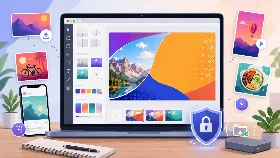
Crop image online to remove unwanted areas, improve framing and create the right format for profile photos, documents, websites and social media. This free tool works directly in your browser without uploading your files to a server.
Crop Preset
How to Crop an Image Online
Upload your JPG, PNG or WebP image, select the area you want to keep and download the cropped version in seconds.
Image cropping happens directly in your browser. Your image stays on your device and is not uploaded to a server, which makes the process fast, private and easy to use.
Why Crop Images
- Remove unwanted parts of a photo
- Improve image framing and composition
- Focus attention on the main subject
- Create profile pictures with a clean crop
- Prepare document images before upload
- Crop images for websites and blog posts
- Create better formats for social media posts
- Adjust photos before resizing or compressing them
Crop Image vs Resize Image
Cropping an image removes part of the image and keeps only the selected area. Resizing changes the width and height of the whole image without choosing a specific area to keep. Use crop when you want to improve framing, remove unwanted content or focus on a subject. Use resize when you only need to change the image dimensions.
Crop Images for Profile Pictures
A good profile picture usually needs a clear subject, balanced framing and little empty space around the face or logo. Use the crop tool to center the subject and remove distracting areas before saving the final image.
Crop Images for Documents
When you take a photo of a document, the image may include a table, background, fingers or empty borders. Cropping helps keep only the useful document area before uploading, sending or saving the file.
Crop Images for Social Media
Social media platforms often display images in fixed formats. Cropping helps you control what remains visible in a post, story, thumbnail, cover image or profile photo.
How to Get a Clean Crop
Select only the part of the image you want to keep. Avoid cropping too tightly if you need space around the subject. For profile pictures, keep the face or main object centered. For documents, align the crop close to the document edges while keeping all important text visible.
Supported Image Formats
This online image cropper supports common formats such as JPG, PNG and WebP. JPG is often used for photos, PNG is useful for graphics and transparent images, and WebP is a modern format designed for web images.
Is Image Cropping Safe?
Yes. Your images are processed locally in your browser and stay on your device. They are not uploaded to external servers, which helps protect your privacy.
Best Uses for Image Cropping
- Crop a photo for a profile picture
- Center a face or subject in a portrait
- Prepare a document photo before uploading it
- Remove borders or background around a scanned document
- Crop images for Instagram, Facebook, TikTok or YouTube
- Create a clean image format for blog posts
- Prepare product photos for an online store
- Remove empty space around a logo or graphic
- Adjust screenshots before sharing them
- Improve the framing of travel, food or lifestyle photos
Supported Features
| Feature | Supported |
|---|---|
| Crop JPG images | Yes |
| Crop PNG images | Yes |
| Crop WebP images | Yes |
| Free crop selection | Yes |
| Aspect ratio presets | Yes |
| Crop profile pictures | Yes |
| Crop document images | Yes |
| Crop social media images | Yes |
| Browser-based processing | Yes |
| No server upload required | Yes |
| Works on mobile | Yes |
| Works on desktop | Yes |
| No registration | Yes |
| Free to use | Yes |
Frequently Asked Questions
How do I crop an image online?
Upload your image, select the area you want to keep and download the cropped image.
Can I crop a photo for a profile picture?
Yes. You can crop a photo to center a face, logo or subject before using it as a profile picture.
Can I crop images for social media?
Yes. You can crop images for Instagram, Facebook, TikTok, YouTube and other platforms.
Can I crop a document image?
Yes. You can crop a document photo to remove background, borders or unwanted areas before uploading or sharing it.
Which image formats are supported?
The tool supports JPG, PNG and WebP image formats.
Is this crop tool free?
Yes. The image cropper is free to use.
Are my images uploaded online?
No. Your images stay on your device and are processed locally in your browser.
Can I crop images on mobile devices?
Yes. The crop tool works on smartphones, tablets and desktop computers.
Can I choose a fixed aspect ratio?
Yes. The tool supports predefined crop ratios for different formats.
What is the difference between cropping and resizing an image?
Cropping removes part of the image. Resizing changes the width and height of the whole image.