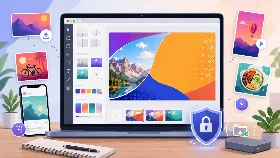
🖼️ Optimize Image
Resize, crop, compress and convert your images online for free.
Crop Preset
How to Optimize an Image
Upload your image and use the crop, resize and optimize tools to reduce file size and improve web performance.
All image processing happens directly in your browser for better privacy and faster performance.
Why Optimize Images
- Reduce image size
- Improve website speed
- Better SEO performance
- Optimize for social media
- Convert image formats
Is Image Optimization Safe?
Yes. Your images are processed locally in your browser and are not uploaded to external servers.
Supported Features
| Feature | Supported |
|---|---|
| Crop images | Yes |
| Resize images | Yes |
| Compress image size | Yes |
| Convert JPG, PNG and WebP | Yes |
| Works on mobile | Yes |
| No registration | Yes |
| Browser-based processing | Yes |
| Fast image optimization | Yes |
Frequently Asked Questions
How do I optimize an image?
Upload your image, choose your optimization settings and save the optimized version.
Can I crop images online?
Yes. You can crop your images directly in your browser using the built-in crop tool.
Can I resize images?
Yes. You can change image width and height before exporting the final file.
Which image formats are supported?
The tool supports JPG, PNG and WebP image formats.
Is this image optimizer free?
Yes. The tool is completely free to use.
Are my images uploaded to a server?
No. Image processing happens directly in your browser whenever possible.
Can I use this tool on mobile devices?
Yes. The image optimizer works on smartphones and tablets.