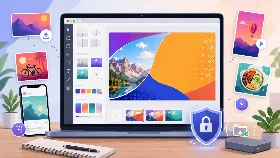
🏷️ Logo Resizer
Resize and optimize logos online without losing quality.
Crop Preset
How to Resize a Logo
Upload your logo, choose the new dimensions and download the resized version instantly.
The tool helps you resize logos for websites, social media, presentations and branding materials.
Why Use a Logo Resizer
- Resize logos for websites
- Prepare logos for social media
- Reduce logo file size
- Create clean branding visuals
- Optimize logos for faster loading
Is the Logo Resizer Safe?
Yes. Your logos are processed locally in your browser and are never uploaded to external servers.
Supported Features
| Feature | Supported |
|---|---|
| Resize logos online | Yes |
| Supports JPG, PNG and WebP | Yes |
| Custom width and height | Yes |
| Optimize logo file size | Yes |
| Keep aspect ratio | Yes |
| Works on mobile | Yes |
| No registration | Yes |
| Browser-based editing | Yes |
Frequently Asked Questions
How do I resize a logo?
Upload your logo, set the new dimensions and export the resized version.
Can I resize logos without losing quality?
Yes. The tool keeps good visual quality while resizing logos and graphics.
Which image formats are supported?
The tool supports JPG, PNG and WebP image formats.
Is this logo resizer free?
Yes. The tool is completely free to use.
Are my logos uploaded online?
No. Your files stay on your device and are processed locally in your browser.
Can I use this tool on smartphones?
Yes. The logo resizer works on smartphones and tablets.
Can I reduce the logo file size too?
Yes. The tool can optimize logos for websites and faster loading times.