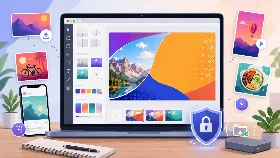
Facebook Cover Resizer
Crop and resize an existing image for a Facebook cover with the correct landscape ratio.
Crop Preset
How to Resize an Image for a Facebook Cover
Choose an image, adjust the preset crop area and position the important content inside the landscape frame.
The target dimensions and Facebook cover ratio are selected automatically. Choose an output format and save the resized image.
Why Use a Facebook Cover Resizer
- Use a Facebook cover crop preset
- Avoid stretched or distorted cover images
- Control the visible part of the image
- Export JPG, PNG or WebP
- Process images privately in your browser
Is the Facebook Cover Resizer Private?
Yes. Images are processed locally in your browser and are never uploaded to our servers.
Supported Features
| Feature | Supported |
|---|---|
| Facebook cover ratio preset | Yes |
| Preset output dimensions | 1640 × 624 |
| Crop and reposition image | Yes |
| JPG, PNG and WebP export | Yes |
| Quality optimization | Yes |
| No server upload | Yes |
| Mobile-friendly interface | Yes |
Frequently Asked Questions
How do I resize an image for a Facebook cover?
Choose your image, adjust the preset crop area and save it using the prefilled Facebook cover dimensions.
Can I reposition the image inside the cover?
Yes. Drag and zoom the image before saving it.
Can I change the output dimensions?
Yes. The Facebook dimensions are prefilled, but the width and height fields remain editable.
Which formats can I export?
You can export the resized cover as JPG, PNG or WebP.
Is my image uploaded?
No. The complete resize operation takes place locally in your browser.
Can I create a cover from scratch?
Yes. Use the Facebook Cover Maker for templates, backgrounds and editable text layers.