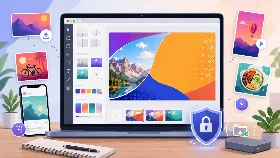
YouTube Thumbnail Maker
Design a YouTube thumbnail from scratch with a 16:9 canvas, customizable text layers and optional local images.
Private by design: your background image is processed only in your browser and is never uploaded.
How to Create a YouTube Thumbnail
Start with the YouTube thumbnail canvas, choose a template or background and customize the three text layers.
Preview the design at the correct ratio and download the completed thumbnail as PNG or WebP.
Why Use This YouTube Thumbnail Maker
- Start with a YouTube thumbnail preset
- Create bold readable text blocks
- Use colors, gradients or local images
- Customize size, position and rotation
- Export PNG or WebP without uploading images
Are My Thumbnail Images Uploaded?
No. Background images are processed locally in your browser and never leave your device.
Supported Features
| Feature | Supported |
|---|---|
| YouTube thumbnail canvas preset | Yes |
| Three independent text layers | Yes |
| Templates and custom colors | Yes |
| Local background images | Yes |
| Text position, size and rotation controls | Yes |
| PNG and WebP export | Yes |
| No server upload | Yes |
| Responsive interface | Yes |
Frequently Asked Questions
Can I create a YouTube thumbnail from scratch?
Yes. Start with a color, gradient, template or local background image and customize the text layers.
Can I use my own photo?
Yes. Your photo is opened locally and is never uploaded.
Can I edit each text line separately?
Yes. Each text layer has independent colors, size, position and rotation settings.
Can I download WebP thumbnails?
Yes. Both PNG and WebP exports are available.
Is this YouTube Thumbnail Maker free?
Yes. It is free and requires no registration.
What if I already have a finished design?
Use the YouTube Thumbnail Resizer to crop and resize an existing design.