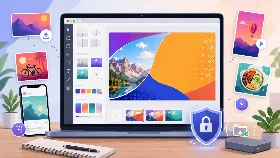
LinkedIn Banner Maker
Design a LinkedIn profile banner with a dedicated canvas, safe area guide and customizable text layers.
Private by design: your background image is processed only in your browser and is never uploaded.
How to Create a LinkedIn Banner
Use the LinkedIn banner canvas, select a template and customize the background and text layers for your profile.
Keep essential information inside the safe area, then download the completed banner as PNG or WebP.
Why Use This LinkedIn Banner Maker
- Create a banner with a LinkedIn profile preset
- Build professional personal branding graphics
- Customize three independent text layers
- Use a local image without uploading it
- Export a ready-to-use PNG or WebP banner
Are My LinkedIn Banner Images Uploaded?
No. Your background image stays on your device and is processed entirely in your browser.
Supported Features
| Feature | Supported |
|---|---|
| LinkedIn personal banner canvas preset | Yes |
| Solid, gradient and local image backgrounds | Yes |
| Editable text layers and templates | Yes |
| Position, size, color and rotation controls | Yes |
| LinkedIn safe area guide | Yes |
| PNG and WebP export | Yes |
| Private local image processing | Yes |
| Responsive interface | Yes |
Frequently Asked Questions
Can I create a LinkedIn banner without design software?
Yes. The complete design is created directly in your browser.
Can I use a photo as the background?
Yes. Choose a local JPG, PNG, WebP or GIF image. It never leaves your device.
Can I customize each text line separately?
Yes. Each layer has its own text, color, box, size, rotation and position controls.
Does the editor show the profile picture safe area?
Yes. The preset includes a guide to help keep important content visible.
Can I download a WebP banner?
Yes. Both PNG and WebP downloads are supported.
Is the LinkedIn Banner Maker free?
Yes. It is free and requires no registration.