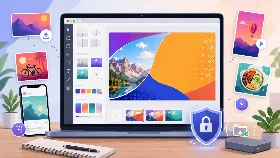
Twitch Banner Maker
Design a Twitch profile banner with a streamer-ready canvas, customizable text layers and optional local images.
Private by design: your background image is processed only in your browser and is never uploaded.
How to Create a Twitch Banner
Start with the Twitch profile banner preset, choose a template and customize the background and text layers.
Position important branding inside the guide and export the finished channel banner as PNG or WebP.
Why Use This Twitch Banner Maker
- Create streamer and channel branding graphics
- Start with a Twitch profile banner canvas
- Customize text, colors, positions and rotations
- Use gradients or private local background images
- Download high-quality PNG or WebP files
Are My Twitch Banner Images Uploaded?
No. Images are read locally by your browser and are never uploaded to an external server.
Supported Features
| Feature | Supported |
|---|---|
| Twitch profile banner canvas preset | Yes |
| Design templates | Yes |
| Solid, gradient and local image backgrounds | Yes |
| Three customizable text layers | Yes |
| Safe area guide | Yes |
| PNG and WebP export | Yes |
| No server upload | Yes |
| Mobile and desktop support | Yes |
Frequently Asked Questions
Can I create a Twitch banner from scratch?
Yes. Start with a template, color, gradient or local background image and edit each text layer.
Can I add my own gaming image?
Yes. Local images are processed privately in your browser and are not uploaded.
Can I adjust text placement?
Yes. Every text block can be moved, resized, recolored and rotated independently.
Will the safe area guide appear in my banner?
No. It is visible only while editing and is excluded from the download.
Which export formats are supported?
The Twitch banner can be downloaded as PNG or WebP.
Is this Twitch Banner Maker free?
Yes. It is free and requires no account.